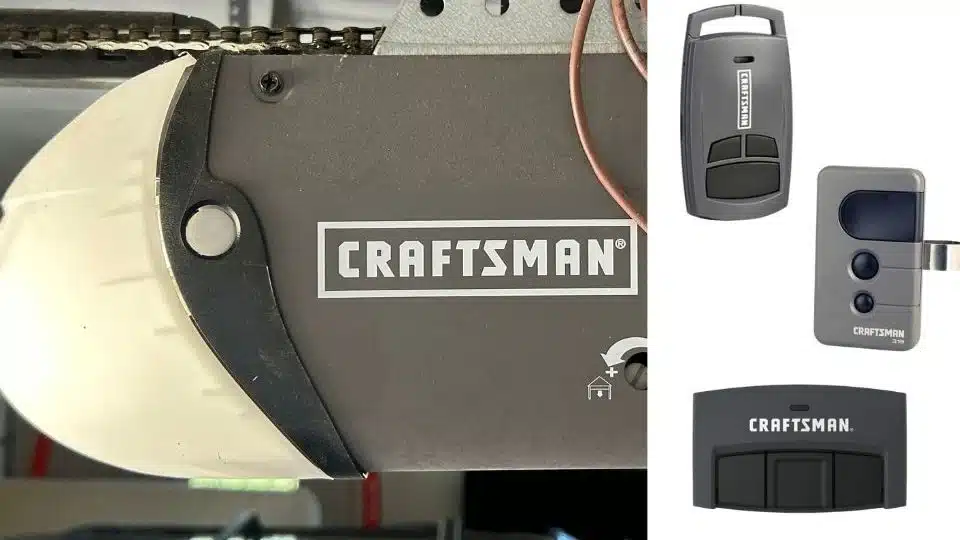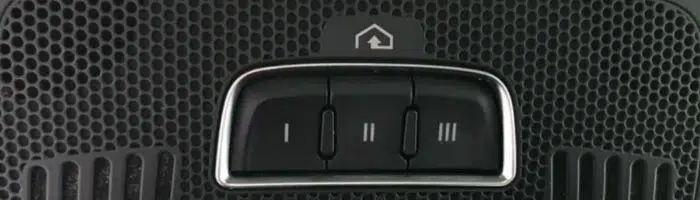
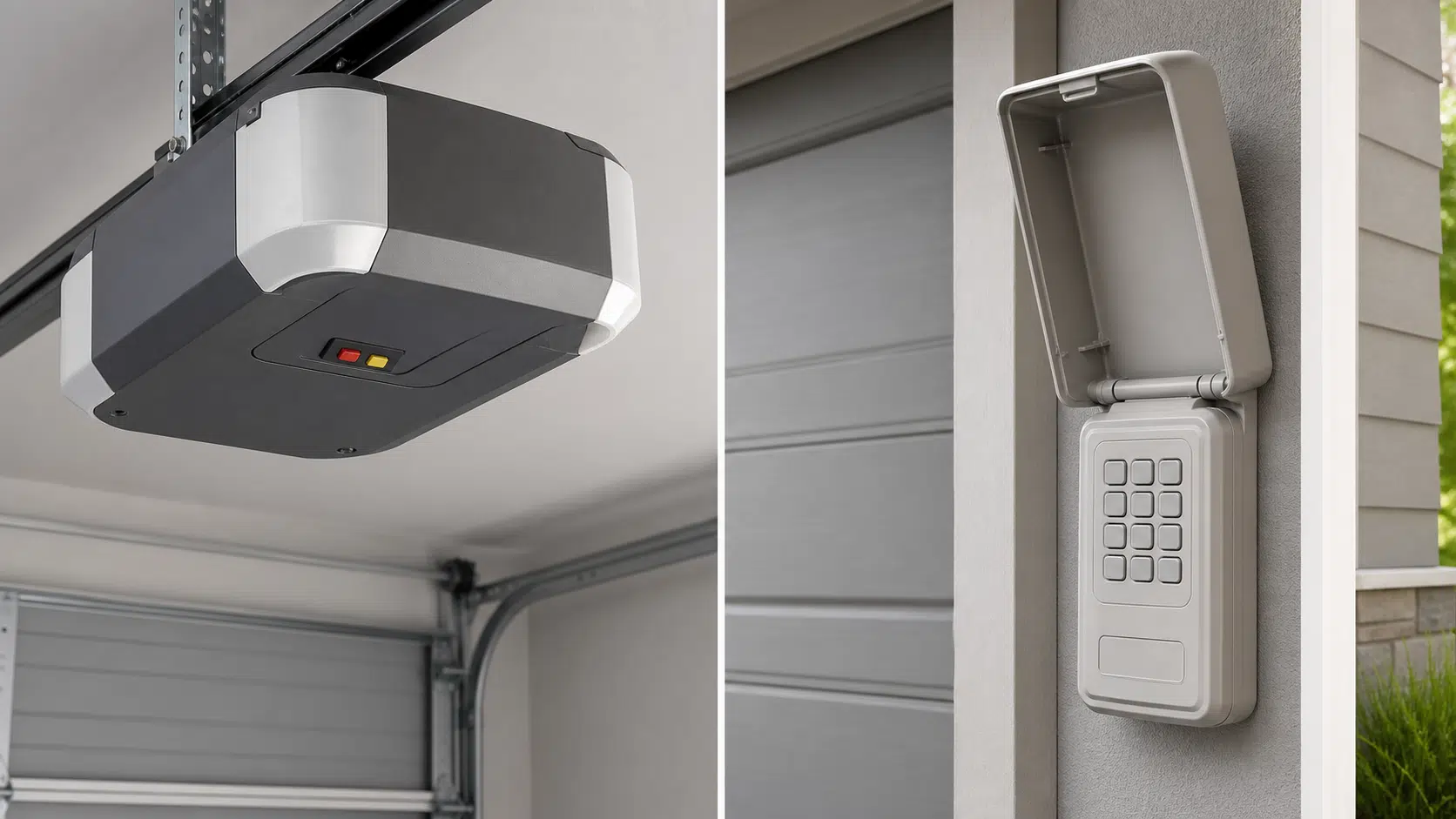
The best garage door keypads are the models that explicitly support your opener’s brand, model, radio system, and manufacturing era. For Chamberlain, LiftMaster, and many Craftsman openers, the LEARN-button color quickly narrows the choice. Genie and Overhead Door owners should match Intellicode or CodeDodger instead of relying on that color chart.
Compatibility-first answer
Choose your keypad path
Find the LEARN or PROGRAM button on the motor unit, then confirm the opener’s model label. The color is a strong clue, but the manual and manufacturer compatibility chart are the final authority.
Our short answer: Choose the Chamberlain CH348 for a compatible post-1997 Chamberlain/LiftMaster/Craftsman opener; the Genie GK-R for a compatible Genie Intellicode opener; and the Overhead Door OKP-BX for an Overhead Door CodeDodger opener. Choose the Genie GUK-R / GUK-BX family when the garage has mixed brands, up to three doors, a green LEARN button, or another supported post-1993 system. Never order from the keypad’s appearance alone.
If you need help identifying an older Craftsman radio generation or comparing the Craftsman CMX348 and Chamberlain CHU48 alternatives discussed there, use our Craftsman remote compatibility chart. This guide keeps the CH348 as the same-family post-1997 choice and the Genie universal family as the chart-dependent mixed-brand or older-system choice. For the broader difference between openers, remotes, keypads, receivers, and smart controllers, see our universal garage-door-opener guide.
Which garage door keypad should you choose?
| Best for | Keypad | Verified compatibility | Main limitation |
|---|---|---|---|
| Chamberlain family, 1997+ | Chamberlain CH348 | Chamberlain, LiftMaster, and most Craftsman openers after 1997; red/orange, purple/brown, yellow, and white button families | Not the green-button generation or other opener brands |
| Mixed brands or older supported systems | Genie GUK-R / GUK-BX | Many rolling-code and fixed-code systems made since 1993 with working safety sensors; up to three doors | The exact model/frequency must appear in Genie’s current chart |
| Genie Intellicode | Genie GK-R | Genie Intellicode single- and dual-frequency openers made since 1995; up to three compatible doors | Not old Genie DIP-switch systems or a substitute for checking the exact model |
| Overhead Door systems | Overhead Door OKP-BX | Overhead Door CodeDodger openers made since 1995; up to three Overhead Door openers | Not older DIP-switch openers |
Best-for recommendations
Chamberlain CH348 wireless keypad

This is the current genuine Chamberlain-family keypad for supported Chamberlain, LiftMaster, and most Craftsman openers manufactured after 1997. Chamberlain lists Security+ 390 MHz, Security+ 315 MHz, Security+ 2.0, and the newer white-button system.
- Look for: red/orange, purple/brown, yellow, or white LEARN buttons.
- Useful features: illuminated keys, temporary PINs, one-touch close, and a published operating range of -4°F to 149°F.
- Installation: battery powered; no low-voltage wiring to the opener.
Best for: A same-family opener with a clearly identified compatible LEARN button and working safety sensors.
Who should not buy it: Owners of green-button openers, pre-1997 units, Genie/Overhead Door systems, or an opener whose model is absent from Chamberlain’s checker.
Genie GUK-R / GUK-BX universal keypad

The linked GUK-R (part 41248R) and Genie’s current GUK-BX packaging (part 41249R) belong to the same universal-keypad support family. It is the flexible choice when one keypad must control as many as three supported doors, including different brands. Genie documents support for many post-1993 rolling-code and fixed-code systems with functioning entrapment protection.
- Useful for: Chamberlain-family green, red/orange, purple, and yellow generations; Genie/Overhead Door rolling-code and certain DIP-switch systems; and selected Linear, Stanley, Wayne Dalton, Ryobi, Sommer, Guardian, Marantec, and other systems.
- Check first: brand, opener model, frequency/code family, and Genie’s current compatibility chart.
- Limit: “Universal” does not mean every opener.
Best for: A mixed-brand garage, up to three supported doors, or a supported older system not covered by a newer brand-specific keypad.
Who should not buy it: Someone who cannot positively identify the opener, owns an unsupported model, or has a pre-1993 system without compliant working entrapment protection.
Genie GK-R wireless keypad

The GK-R is the focused genuine choice for Genie Intellicode openers. Genie lists it for single- and dual-frequency Intellicode units manufactured since 1995, and it can control up to three compatible openers. Genie also documents limited support for certain Overhead Door CodeDodger/Legacy models, so the exact opener model and current instructions—not a broad brand claim—control compatibility.
- Radio system: Genie Intellicode, with automatic 315/390 MHz frequency selection.
- Power: two AAA batteries.
- Identification rule: match the opener’s model/Intellicode label, not a Chamberlain-style LEARN-button color.
Best for: A garage with one to three compatible Genie Intellicode openers from 1995 or later.
Who should not buy it: Owners of an old Genie DIP-switch opener, an unidentified model, or any opener absent from Genie’s current instructions. Overhead Door owners should generally start with the genuine OKP-BX below.
Overhead Door OKP-BX wireless keypad

The OKP-BX is Overhead Door’s genuine keypad for CodeDodger openers manufactured since 1995. It provides brand-specific programming and can operate up to three compatible Overhead Door openers.
- Look for: an Overhead Door model documented as CodeDodger or CodeDodger 2.
- Power: two AAA batteries.
- Mounting: backlit exterior keypad with a flip-up cover.
Best for: Overhead Door Legacy, Odyssey, Destiny, Python, or other units only after the exact model is confirmed as compatible CodeDodger.
Who should not buy it: Owners of older Overhead Door DIP-switch units, another brand, or an opener with an unidentified receiver.
What the LEARN-button colors mean
This color system applies primarily to Chamberlain, LiftMaster, and many Craftsman openers. The year bands overlap because product families and replacement logic boards did not all change on January 1. Treat the opener’s model/serial label and manual as stronger evidence than an estimated year.
| Button color | Typical radio family and era | Choice from this guide | Important limit |
|---|---|---|---|
| White | Newest Chamberlain-family systems, including Security+ 3.0/BLE LR configurations | CH348 | Confirm the exact model; older universal charts may predate white-button systems |
| Yellow | Security+ 2.0, generally 2011 and newer | CH348 or GUK-R | Button shape and model still matter |
| Purple/brown | Security+ 315 MHz, roughly mid-2000s through mid-2010s | CH348 or GUK-R | Do not assume every brown-looking button is the same system |
| Red/orange | Security+ 390 MHz, roughly 1996/1997 through 2005 | CH348 for post-1997 units; GUK-R can cover earlier supported models | Check the date/model around the 1996-1997 boundary |
| Green | Billion Code 390 MHz, roughly 1993 through 1995/1997 | GUK-R | CH348 does not list the green-button generation |
Genie and Overhead Door use a different identification path
Do not force a Chamberlain LEARN-button chart onto a Genie or Overhead Door opener. Photograph the motor label and identify Intellicode, CodeDodger, or a fixed-code DIP-switch receiver. Then use the corresponding manufacturer chart.
Selection guide: verify these five things
Photograph the motor label
Capture the brand, full model number, manufacture date, frequency or code-family wording, and logic-board label if visible.
Find the motor-unit button
Record the LEARN, PROGRAM, or LEARN CODE button’s color, shape, and adjacent antenna-wire color. Do not use a button on the wall control.
Check the safety system
Confirm the photo eyes or other required entrapment protection are installed, aligned, and operating. A keypad is not a workaround for a safety fault.
Count the doors
A multi-door keypad helps only if it supports every opener. Two matching doors are simpler than a garage containing different brands and radio generations.
Read the exact chart
Confirm the opener model or radio family in the keypad manufacturer’s current instructions. Similar-looking aftermarket listings are not proof of genuine-product compatibility.
Recheck before mounting
Program and test the keypad before drilling. Confirm it opens, stops, and closes only as the opener manual permits, then choose a safe mounting point.
Installation and safety constraints
- Follow the keypad and opener manuals; programming sequences vary by model and code family.
- Program the keypad before permanent mounting so an incompatibility is discovered before holes are drilled.
- Mount the keypad within sight of the garage door, at least 5 feet above the floor, and clear of all moving door parts.
- Do not allow children to play with the keypad or door operator.
- Do not bypass safety sensors, defeat reversing features, or use a new keypad to keep an unsafe opener in service.
- If the door binds, falls, has a damaged spring/cable, or fails a reversal test, stop using the operator and call a qualified garage-door professional.
Pre-1993 opener? Pause before adding a keypad
The current universal keypads in this guide are intended for post-1993 systems with functioning entrapment protection. CPSC rules added entrapment-protection requirements for residential openers manufactured on or after January 1, 1993. If the opener lacks working photo eyes or another compliant protection system, replacement or professional evaluation is more appropriate than forcing a universal accessory onto it.
Who should not buy a replacement keypad yet?
- The keypad stopped working suddenly: Use the garage-door keypad troubleshooting checklist to test the battery, PIN, programming and shared wireless causes before replacing the entire unit.
- Every remote and keypad stopped working: The problem may be receiver power, lock mode, antenna damage, interference, or opener electronics rather than the keypad.
- The door will not close and the opener lights flash: Diagnose the safety sensors and door condition first.
- The model and radio family are unknown: Identify the opener before ordering. A visual match to the old keypad is not enough.
- The opener is unsafe or pre-1993: Do not use an accessory purchase to postpone a necessary opener evaluation or replacement.
- You need app access, alerts, camera, or delivery controls: A conventional keypad is not a smart controller. Compare smart controls separately.
How we selected these keypads
We selected these four keypads by comparing current manufacturer product pages, programming/support documents, compatibility tables, the number and type of supported openers, installation limitations, and the verified identity of each exact Amazon listing. Preference was given to genuine manufacturer products with a clearly published compatibility path. Amazon prices, star ratings, and customer-review text were not used in the recommendations and are intentionally not reproduced here.
Garage-door keypad FAQs
Will a universal keypad work with any garage-door opener?
No. A universal keypad works only with the brands, model families, frequencies, code systems, years, and safety configurations in its manufacturer’s chart. “Universal” means broad compatibility, not unlimited compatibility.
Does the LEARN-button color guarantee compatibility?
No. It is a useful Chamberlain/LiftMaster/Craftsman clue. The opener model, manufacture date, radio family, and current keypad manual must agree. Replacement logic boards can also make the button color more useful than the opener housing’s age.
Can one keypad operate more than one garage door?
The Genie GUK-R / GUK-BX family can operate up to three supported openers even when the brands differ. The Genie GK-R and Overhead Door OKP-BX can each operate up to three compatible openers within their documented systems. Do not assume another keypad supports multiple doors unless its manual says so.
Why will a new keypad not program?
Common causes include the wrong keypad family, a weak battery, an incorrect programming sequence, missing/failed safety equipment, receiver lock or memory issues, interference, or attempting to pair an unsupported model. Test near the opener before mounting and use the exact manual.
Should I erase all opener memory before installing a keypad?
Usually not. Erasing receiver memory can disable every remote, keypad, and vehicle control. Do it only when the opener manual calls for it or when a lost/stolen control creates a security reason, then reprogram every authorized device.
Primary sources
- Chamberlain CH348 product specifications and Chamberlain opener/accessory compatibility.
- Genie GUK universal keypad product and compatibility information and Genie GUK support.
- Genie GK-R product and compatibility information and Genie GK keypad support.
- Overhead Door wireless keypad product information and OKP-BX programming guidance.
- U.S. Consumer Product Safety Commission garage-door-opener entrapment-protection rule summary.
Related Garage Results guides